
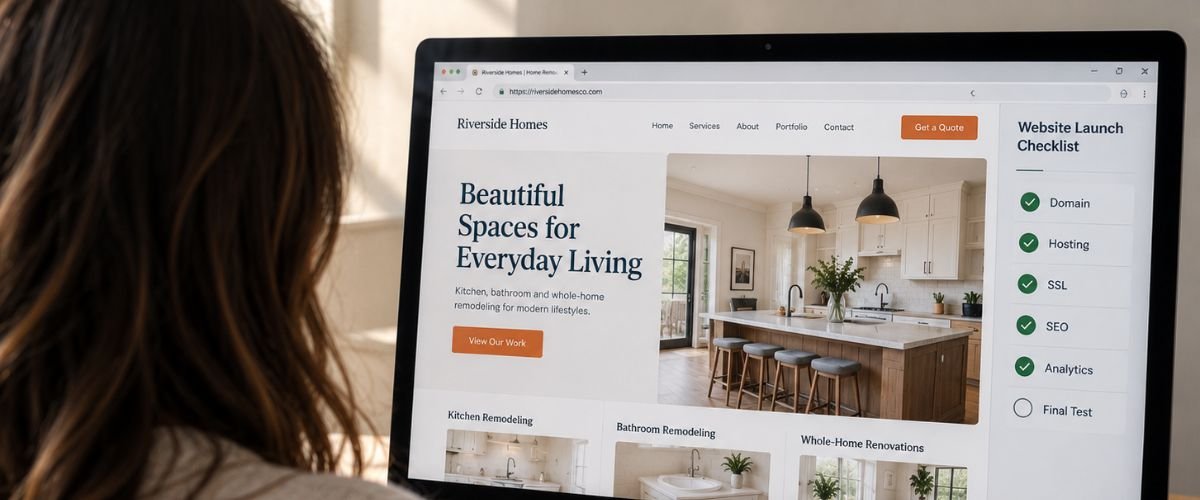
The Small Business Website Launch Checklist: Domain, Hosting, SEO, Analytics and More
Launching a business website involves more than completing the design and publishing it online. A website can look finished while important details are still missing, such as correct domain settings, reliable hosting, search engine optimization, working contact forms and analytics. These details may not be obvious when looking at the homepage, but they can affect how customers find, use and trust the website.
For a small business, launch problems can quickly become business problems. A contact form that does not send enquiries can cost a potential customer, while an incorrect phone number can prevent someone from reaching the company. A website that works well on desktop but feels difficult to use on a phone can also lose visitors before they have an opportunity to explore the business.
A small business website launch checklist helps you review the important parts of the website before customers begin relying on it. Whether you are launching your first website or replacing an existing one, taking time to check the domain, hosting, content, SEO, analytics, security and customer journey can give the website a much stronger foundation.
Secure the Domain and Confirm the Hosting
Your domain is the address customers will use to find your business online, so it needs to be registered correctly and kept under the control of the business. Check that the domain name is accurate, the registration information is current and the renewal details are accessible to the appropriate people.
The domain also needs to point to the correct website. Before launch, confirm that the DNS settings are directing visitors to the right hosting environment and that the preferred version of the domain opens correctly. Test the website address from different browsers and devices so you can identify any connection or redirect problems before customers encounter them.
Hosting is just as important because it provides the environment where your website is stored and delivered to visitors. Make sure the hosting account is active, suitable for the website and connected correctly to the domain, and check whether backups and technical support are available before the website goes live.
Review Every Page Before the Website Goes Live
A final content review can prevent small errors from weakening an otherwise professional website. Check your business name, phone number, email address, location, service descriptions and other information that customers may use when deciding whether to contact you.
Read the important pages from the perspective of someone discovering your business for the first time. The homepage should make the business clear, service pages should explain what you provide and the contact page should make it easy to reach the company. Remove placeholder text, outdated information and unfinished sections before publishing.
Images and links also need attention during the final review. Make sure images display properly and support the content, while every important link and button should lead to the correct destination. A broken link or missing image may seem minor, but several small problems can make a new website feel unfinished.
Test the Mobile Experience
A small business website should provide a comfortable experience on phones, tablets and desktop computers. Checking only the desktop version is not enough because many potential customers may discover and use the website from a smartphone.
Open the website on an actual phone and follow the main customer journey. Visit the homepage, open the navigation, view important service pages and try to complete the contact form while paying attention to text size, spacing, buttons and menus.
Forms deserve particular attention because they can become difficult to complete on smaller screens. Make sure visitors can select fields, enter their information and submit the form without unnecessary scrolling or zooming, and ensure important contact options such as phone numbers are easy to find and use.
Complete the Essential SEO Setup
Search engine optimization should be considered before a website launches rather than treated as an afterthought. The website needs a clear structure that helps search engines understand what the business offers and helps visitors find relevant information when they arrive from search.
Review the page titles and meta descriptions for important pages and make sure they accurately describe the content. Each page should also have a clear main heading and supporting headings that organize the information naturally. URLs should be simple, readable and relevant to the subject of the page.
Internal links can also strengthen the website structure by connecting related information. A service page can link to a useful article, while an article can direct readers to a relevant service page. These connections make it easier for visitors to move through the website and discover information that supports their decision.
Make Sure Google Can Find the Important Pages
Before launch, check that the pages you want to appear in search can be accessed and indexed correctly. A website can look completely normal to a visitor while technical settings prevent some important pages from being discovered by search engines.
Review the sitemap and make sure important public pages are represented correctly. At the same time, check that private, duplicate or unnecessary pages are handled appropriately so search engines are not encouraged to index content that should not appear in search results.
This is especially important when launching a redesigned website. If existing pages have moved to new URLs, appropriate redirects may be necessary to guide visitors and search engines to their new locations. A planned transition can help protect useful search visibility while the new website becomes established.
Connect Analytics and Search Monitoring
A website should launch with a way to measure what happens after people begin visiting it. Analytics can show where visitors are coming from, which pages they view and which actions they take, giving the business information that can guide future improvements.
The tracking setup should reflect what matters to the business. A service based company may want to measure contact form submissions, consultation requests and phone clicks, while an ecommerce business may focus on product views, purchases and other important stages of the customer journey.
Google Search Console should also be connected so you can monitor the website’s presence in Google Search and identify potential issues. Setting up analytics and search monitoring from the beginning creates a useful baseline and prevents the business from missing important information about the site’s early performance.
Test Forms, Buttons and Other Important Actions
Every important action on the website should be tested before launch. A button may look correct on the page but still lead visitors to the wrong location, while a contact form may appear functional without actually delivering submissions to the business.
Submit each important form yourself and confirm that the enquiry reaches the correct email address. Check that the confirmation message works properly and that the visitor receives clear information about what happens after the form has been submitted.
The same process should be followed for other important features, including consultation links, booking systems, ecommerce functions and any other customer actions. Test them on both desktop and mobile devices and complete the full customer journey instead of checking only individual elements.
Review Security and Website Protection
Security should be part of the website launch process from the beginning. Check that HTTPS is working correctly and that visitors do not receive browser warnings when they open important pages or submit information through the website.
Administrative accounts should use strong passwords and access should be limited to people who genuinely need it. Remove unnecessary user accounts and review permissions so the business knows who can make changes to the website.
Backups provide another important layer of protection. A recent backup gives you something to restore if an update, technical issue or other problem affects the website. Keeping the website software and other components properly maintained can also reduce avoidable security and compatibility problems.
Check Website Speed and Performance
Website performance should be reviewed before the site receives significant traffic. Large images, unnecessary plugins, excessive scripts and third party tools can increase the amount of work required to load a page and make the website feel slower for visitors.
Start with important pages such as the homepage, main service pages and contact page. Make sure images are appropriately sized, unnecessary features have been removed and the website includes only the functionality the business actually needs.
It is also useful to check performance on different devices and connections. A website that feels fast on a strong office connection may feel much slower to someone browsing from a mobile phone or a weaker connection. Identifying these problems before launch gives you an opportunity to improve the experience before customers begin relying on the site.
Complete a Final Customer Journey Test
Before publishing the website, use it as if you were a potential customer who has never seen the business before. Start with the homepage and ask whether you can understand what the company offers, who it serves and what you should do next.
Follow several paths through the website rather than testing only the homepage. Visit a service page, read the information, look for evidence that the business is trustworthy and try to make an enquiry. Repeat the process on a mobile phone so you can identify problems that may not appear on desktop.
This final review can reveal issues that are easy to miss during development because the people building the website already know where everything is located. A first time visitor does not have that familiarity, so the website needs to make the customer journey clear without requiring unnecessary effort.
Use a Simple Small Business Website Launch Checklist
Before the website goes live, review the domain, hosting and business information one final time. Confirm that the domain is connected correctly, hosting is active, contact details are accurate and every important page is complete.
Next, review the SEO and technical foundations. Check page titles, meta descriptions, headings, URLs, internal links, indexing settings, sitemap configuration and analytics. Make sure important pages can be found and measured from the beginning.
Finally, test the practical parts of the website. Forms should deliver enquiries, buttons should lead to the correct destinations, the mobile experience should work properly and the website should provide a clear path from discovering the business to making contact.
Keep Improving the Website After Launch
Launching the website does not mean the work is finished. The first few weeks and months can provide useful information about how real customers interact with the site, which pages they visit and where they may encounter problems.
Review your analytics regularly and pay attention to the actions that matter to the business, such as enquiries, calls, bookings or purchases. Search Console can also provide useful information about search visibility and technical issues that may need attention.
Customer feedback is another valuable source of information. If several people struggle to find the same service, ask the same question or have difficulty completing a particular action, the website may need clearer content or a simpler structure. Regular improvements can help the website remain useful as the business grows.
Give Your Business a Strong Start Online
A successful website launch involves much more than completing the design. The domain, hosting, content, SEO, analytics, security, performance and customer journey all need to work together before the website is ready for customers.
Taking time to review these areas can prevent avoidable problems and create a stronger foundation for your online presence. It also gives your business a better starting point for measuring performance and improving the website based on real customer behaviour.
SoMaKoo brings together web design, SEO, social media marketing, domain registration and web hosting to help businesses establish a stronger online presence. Whether you are launching your first business website or replacing an existing one, careful preparation can help create a website that is ready to support your business from day one.
Ready to launch your business website?
Start Your Website Project with SoMaKoo.